

A faster, smarter DWG-native CAD platform built on the new IntelliCAD 14.1 engine.
AViCAD 2027 introduces major performance improvements, expanded drafting and GIS tools, enhanced Visual LISP support, smarter workflows, and improved compatibility for modern CAD production environments.
Whether you work in 2D drafting, engineering, architecture, GIS, or manufacturing, AViCAD 2027 focuses on practical improvements that help you work faster without changing the workflows you already know.
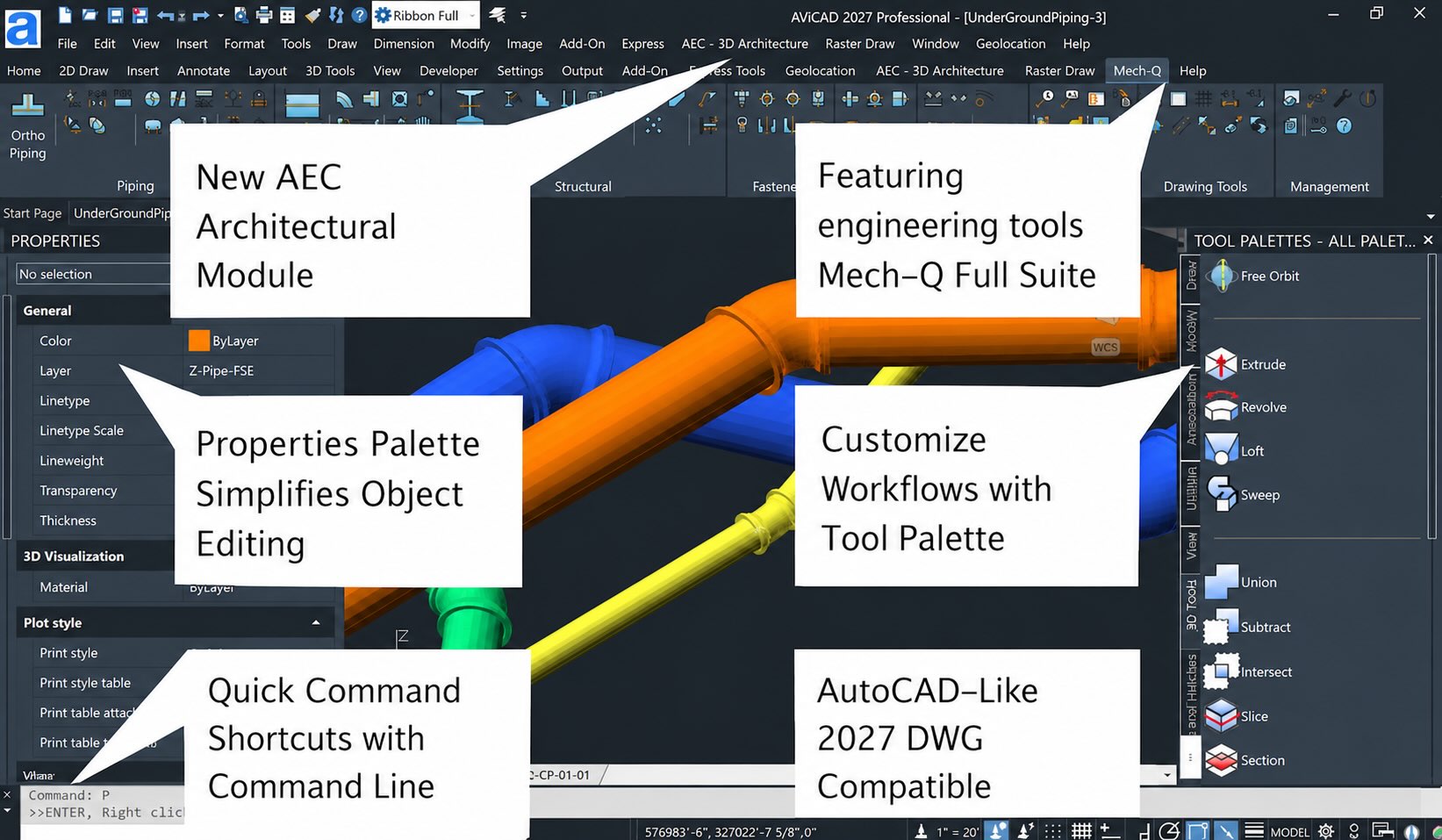
Major Highlights In AViCAD 2027
AViCAD remains focused on providing a professional DWG-native CAD environment with familiar AutoCAD®-style workflows, practical engineering tools, and flexible licensing options — without forcing users into subscription-only licensing.
Faster Performance Across Everyday Commands
AViCAD 2027 delivers substantial speed improvements throughout the drafting engine:
— Up to 63% faster snapping
— 2× faster Copy command
— 12× faster Break command
— 30× faster Copy to Clipboard
— Faster regeneration and drawing handling
— Improved performance on large projects and overlapping geometry
Built on the IntelliCAD 14.1 engine, AViCAD 2027 also introduces improved memory handling and smoother interaction throughout the interface
Floating Drawing Windows
Detach drawings into separate windows and work across multiple monitors with independent navigation and editing.
Ideal for:
— Large projects
— Side-by-side drawing review
— Reference drawing workflows
— Multi-monitor CAD environments
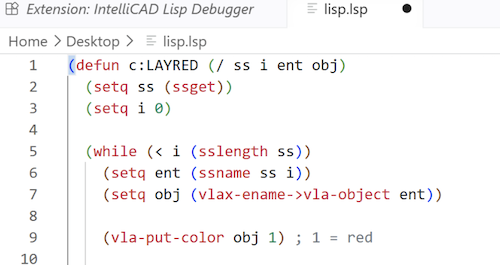
Visual LISP (VLISP) Support Expanded
AViCAD 2027 significantly expands AutoLISP compatibility and development tools.
New capabilities include:
— VLISP development environment
— Support for .VLX and .FAS applications
— Visual Studio Code debugging integration
— Improved AutoCAD LISP workflow compatibility
This makes migration of existing LISP utilities and custom CAD automation much easier.
ESRI ArcGIS Map Support
GEOMAP now supports ESRI ArcGIS basemaps in addition to Bing and Azure mapping services.
Available map styles include:
— OpenStreetMap
— Imagery
— Streets
— Light Gray
— Dark Gray
Useful for civil, infrastructure, utility, and GIS-based workflows.
Raster Draw Toolkit Expanded
A major Raster Draw update adds new image cleanup and editing tools directly inside AViCAD.
New capabilities include:
— Raster cleanup
— Circular crop and erase tools
— Perspective correction
— Raster object selection tools
— Drawing directly onto raster images
— Improved raster-to-vector workflows
This reduces the need for external raster editing software.
Migration Tool for Easier Upgrades
The new Migration Tool helps transfer settings from AViCAD 2026 automatically.
Migrate:
— Profiles
— Aliases
— Toolbars
— Settings
— Workspace customizations
Upgrade faster without rebuilding your workspace from scratch.

Glow Selection Preview
Selected entities now highlight using a soft translucent glow effect for improved visibility in dense drawings.
This makes object selection and editing significantly easier on complex projects.

Mech-Q QBOM
The new QBOM tools help automate bill of materials creation for Mech-Q Piping 2D and 3D drawings, making it easier to generate piping schedules, material takeoffs, and fabrication information with improved speed and organization.
Smarter Dimension & Multileader Grips
Context-sensitive grip menus now appear automatically when hovering over dimensions and multileaders.
This improves:
— Editing speed
— Discoverability of commands
— Precision drafting workflows
Expanded Terrain & DTM Tools
New GIS and terrain analysis tools improve civil and survey workflows.
New commands include:
— Slope vectors
— Terrain coloring
— Elevation text
— 3D slope generation
— Improved triangulation tools
SVGIMPORT Command
Import SVG graphics directly into AViCAD as native CAD entities while preserving vector accuracy.
Useful for:
— Logos
— Signage
— CNC workflows
— Laser and fabrication drawings
Improved PDF2CAD Workflow
The updated PDF2CAD workflow provides greater flexibility when converting PDFs into editable CAD geometry.
Users can now:
— Insert converted geometry into current drawings
— Create entirely new drawings from PDFs
— Batch convert multi-page PDFs
ISODRAFT Command
Create 2D isometric drawings faster with automatic cursor alignment and isometric snap controls.
Ideal for:
— Mechanical layouts
— Industrial drafting
— Piping schematics
— Conceptual 3D-style drawings
Improved Tool Palettes
Tool Palettes now support:
— Images
— Leaders
— External references
— Preview thumbnails
— Group titles
— Enhanced attribute editing
OVERKILL Improvements
The OVERKILL command now supports additional entity types including:
— Text
— Dimensions
— Multileaders
— Hatches
— Rays
— Infinite lines
Helping reduce duplicate geometry in more complex drawings.
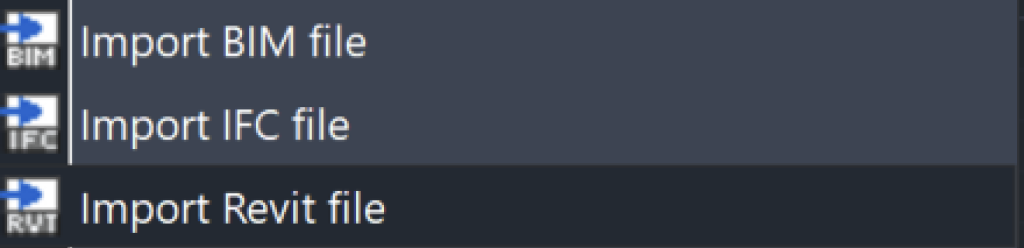
Updated BIM Compatibility
AViCAD 2027 now supports Autodesk® Revit® 2026 RVT and RFA files for improved BIM interoperability.
Overall Workflow Improvements
Dozens of refinements improve usability throughout the application:
— Improved interface responsiveness
— Better snapping and trimming reliability
— Updated table handling
— Improved layer workflows
— Better spline editing
— Enhanced 3D editing feedback
— More reliable Undo/Redo behavior
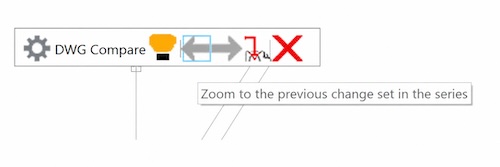
DWG Compare (COMPARE Command)
Quickly identify added, removed, or modified objects between drawing revisions.
The new COMPARE command helps speed up:
— Revision checking
— Client approvals
— Coordination workflows
— Version comparison between DWG files
Changes are highlighted visually through an interactive comparison interface.
New Commands – AViCAD / progeCAD 2027
Core Commands
— COMPARE — compare differences between two DWG drawings
— ISODRAFT — activate 2D isometric drafting mode
— BARCODE — generate scannable barcode blocks
— VLISP — launch Visual LISP development environment
— SHAREWITH — share drawing content using Windows Share
— SVGIMPORT — import SVG files as native CAD entities
— SURFSCULPT — create 3D solids from surfaces and solids
— MREDO — redo multiple Undo operations
— BTESTBLOCK — test dynamic blocks in a temporary environment
GIS / Terrain / DTM Commands
— ELEVARROW — insert slope direction arrows on 3D polylines
— SLOPEVECTORS — generate maximum slope vectors
— SLOPECOLORING — color terrain faces by slope angle
— SLOPE3D — create 3D slopes between curves
— ELEVTEXT — place elevation labels on contour lines
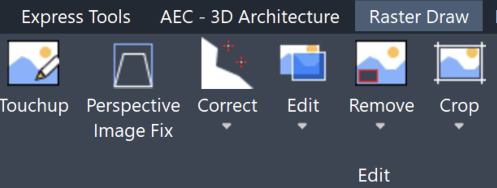
Raster Draw Commands
Raster Cleanup & Editing
— IFIX — correct raster image perspective distortions
— ICROPCIRC — crop raster outside circular area
— IRUBCIRC — erase raster inside circular area
— ICLEANUP — remove raster noise and isolated elements
Raster Object Selection
— IWINDOW — select raster regions by window
— IPICKOBJECT — select raster objects with single pick
— ICROSSING — crossing-window raster selection
Drawing Directly On Raster Images
— ITEXT — add text to raster images
— ILINE — draw lines on raster images
— ICIRCLE — draw circles on raster images
— IRECTANG — draw rectangles on raster images
Express Tools Commands
— HATCH EXCEL — export hatch information to Excel
— TEXT EXCEL — export text information to Excel
— FREEZEALL — freeze all layers except selected objects
— TEXTORIENTATION — align text to polyline segments
AEC Commands
— AECANCHOREDIT — control wall anchoring settings for doors/windows
Geographic / Mapping Commands
— GEOMICROSOFTSERVICE — switch between Bing and Azure geographic services
New System Variables
New Variables in 2027
— ANNOSCALEPANEMODE
— BDEPENDENCYHIGHLIGHT
— CMDROLLOVEROPACITY
— ISAVECOUNT
— MTEXTAUTOSTACK
— PROXYNOTICE
— QCDECIMALSEPARATOR
— STATBARMENUMODE
— TEMPOVERRIDES
— AECCYCLEMEASURETO
— BLOCKTESTWINDOW
Updated Variables
— GRIDLINESMAX
— GRIDPOINTSMAX
— LIMMIN
— LIMMAX
— OSNAPMAX
— STARTUP
— AFLAGS
— TRACKPATH
— REDUCEMEMORYLAYOUT
— PLINECONVERTMODE
New CAD Engine
A brand new and improved CAD engine. Fast Open, Regen and Osnap operations.
Enhanced Graphics
Faster, smoother transitions with animation while panning, zooming, or changing views.
New Commands
Improved commands for blocks, layers, printing, and more. Lots of new tools have been added.
 AViCAD 2027 is now available. Explore new features including faster performance, drawing comparison tools, enhanced GIS capabilities, improved Visual LISP support, and more. See what's new in AViCAD 2027.