

AViCAD delivers a drafting experience familiar to AutoCAD® users while offering various licensing options, including additional tools and long-term cost control. New CAD users choose AViCAD to learn industry-standard workflows with low barriers to entry, while experienced users switch to AViCAD to maintain productivity without being locked into subscription-only software.
Download the free AViCAD trial (no CC required)
At-a-Glance: AViCAD vs AutoCAD®
- Native DWG workflow: both
- Command line with aliases: both
- Classic interface and ribbon options: both
- Engineering and AEC tools included: AViCAD
- Perpetual (non-expiring) license option: AViCAD
- Subscription-only licensing: AutoCAD®
- Software footprint: AViCAD ~1 GB, AutoCAD® 4–5+ GB
AViCAD preserves familiar CAD workflows while giving users more control over licensing, tools, and long-term costs.
Frequently Asked Questions
Can AViCAD really replace AutoCAD® for everyday drafting?
For many users, yes. AViCAD is built around the same core drafting concepts as AutoCAD®, including DWG workflows, familiar commands, and standard CAD interface elements. Most users can open existing drawings and continue working with little or no adjustment.
Will my AutoCAD® drawings open correctly in AViCAD?
Yes. AViCAD works directly with DWG files, allowing you to open, edit, and save drawings without file conversion. This makes collaboration with consultants, clients, and teams using AutoCAD® straightforward.
Is the AViCAD interface similar to AutoCAD®?
Yes. AViCAD supports both a classic toolbar-based interface and a ribbon interface. Users can choose the layout that best fits their workflow, whether they prefer a large, uncluttered drawing area or a more visual, tab-based approach.
Does AViCAD support the AutoCAD® command line?
Yes. The command line is fully supported in AViCAD. Users who rely on typed commands, aliases, and keyboard-driven drafting can continue working in a familiar way.
What makes AViCAD different from AutoCAD®?
Key differences include licensing options tailored to your needs, engineering and AEC tools, and overall software efficiency. AViCAD offers a perpetual license, includes tools such as Mech-Q at no extra cost, and is designed to remain lightweight without unnecessary software bloat.
Feature Comparison
Legend:  Included
  Not available
| Feature | AViCAD | AutoCAD | AutoCAD LT |
|---|---|---|---|
| DWG Compatibility | |
|
|
| Mech-Q Mechanical, Piping, HVAC & Structural Tools | |
|
|
| AEC / Architectural Tools | |
|
|
| Dynamic Block Support | |
|
|
| PDF to DWG Converter | |
|
|
| Interactive 3D PDF Export | |
|
|
| AutoLISP & DCL Support | |
|
|
| Raster Image Editing & Management | |
|
|
| Network / Multi-Seat Licensing | |
|
|
| Perpetual License (No Subscription) | |
|
|
Tip: On smaller screens, scroll sideways to view all columns.
> View AViCAD pricing and licensing options
Familiar Interface and Drafting Workflow
What Feels Familiar Right Away
AViCAD is designed so AutoCAD® users can begin working immediately without relearning core drafting behavior. Familiar elements include:
- Native DWG file workflows
- Classic toolbar interface or ribbon interface
- Fully supported command line with aliases
- Properties palette for editing layers and object attributes
- Tool palettes for blocks and reusable content
- Familiar options and drawing setup dialogs
Common Commands Behave as Expected
Most everyday drafting commands work the way AutoCAD® users expect, including:
- LAYER, BLOCK, INSERT
- LINE, PLINE, CIRCLE, ARC
- OFFSET, TRIM, EXTEND
- MOVE, COPY, ROTATE, SCALE
Learn 53 commands inside of AViCAD to make you productive
Familiar Interface and Drafting Workflow
AViCAD is designed so existing CAD users can get productive quickly, without relearning how to draw.
Classic Interface for a Large Working Area
AViCAD supports a classic interface layout preferred by many experienced CAD users.
Key benefits of the classic layout include:
- A large, uninterrupted drawing area
- Minimal visual clutter
- Ideal for keyboard-driven and command-line workflows
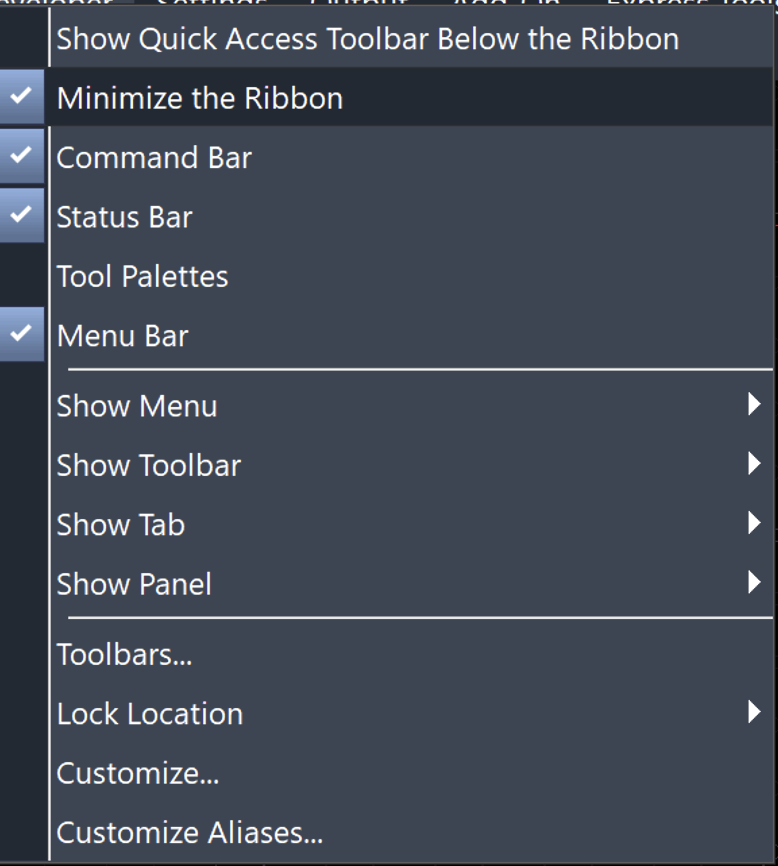
This interface is especially well-suited for users who rely on muscle memory and fast drafting habits built over years of AutoCAD® use.
Ribbon Interface with Visual Command Access
For users who prefer a more visual workflow, AViCAD also includes a full ribbon interface.
With the ribbon interface, you get:
- Clearly organized tabs and tools
- Logical grouping of commands and utilities
- Familiar CAD behavior with modern visual navigation
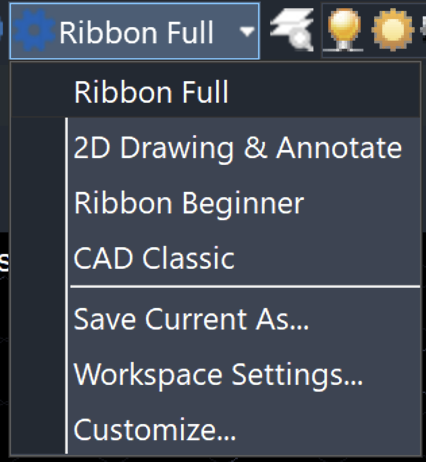
Users can switch between the classic and ribbon interfaces at any time based on preference, project type, or screen layout.
Properties Palette
The Properties palette in AViCAD behaves the way AutoCAD® users expect.
It allows you to:
- View and override entity properties
- Control layers, colors, linetypes, and lineweights
- Make changes without interrupting your drafting flow
This makes quick edits easy while maintaining drawing consistency across projects.
Tool Palettes
AViCAD includes configurable tool palettes for organizing commonly used content.
Tool palettes allow you to:
- Store and reuse blocks, symbols, and objects
- Work from preconfigured palettes and commands included with AViCAD
- Create custom palettes that match office standards or personal workflows
This reduces repetitive tasks and helps keep drawings consistent.
The Command Line
The command line remains one of the most important productivity tools for experienced CAD users, and AViCAD fully supports it.
Command-line features include:
- Typed commands
- Command history
- Alias-based shortcuts
For users who draft quickly using the keyboard, the command line provides speed, precision, and consistency — minimizing the need to move between menus, palettes, and dialogs.
Options Dialog and Drawing Settings
AViCAD includes familiar options and drawing setup dialogs for configuring how the software behaves.
You can control:
- Units and drawing scales
- Snap and drafting behavior
- Display preferences and system variables
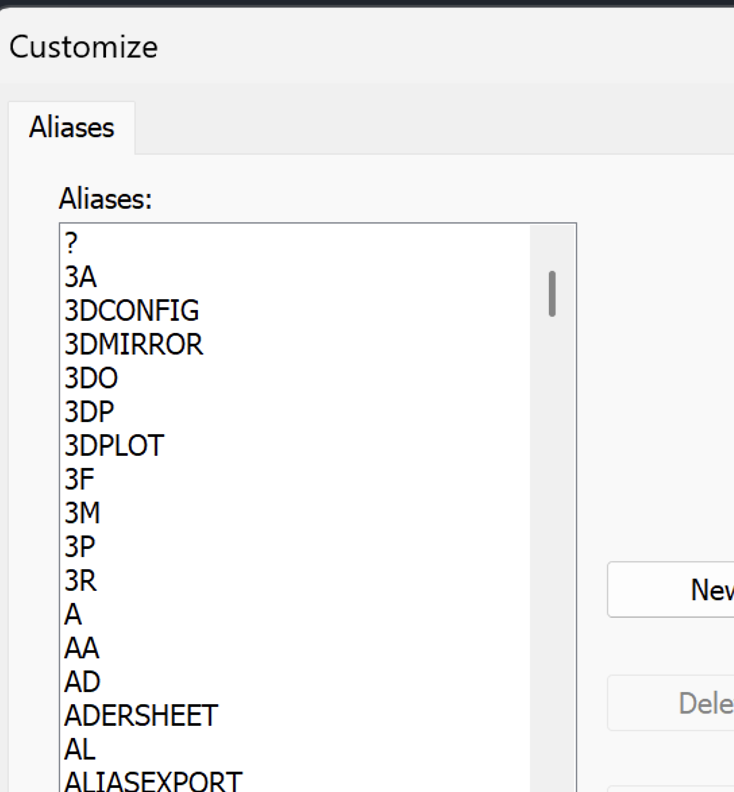
These settings allow users to configure AViCAD to match their existing workflow, rather than forcing a fixed or unfamiliar workflow.
What’s Different in AViCAD
Included Engineering and AEC Tools
AViCAD includes Mech-Q engineering tools that many users would otherwise purchase separately. These tools support mechanical, piping, ducting, and structural drafting workflows directly inside the CAD environment.
AViCAD also includes AEC and architectural utilities designed to assist with common building-related drafting tasks while remaining within standard CAD workflows.
Flexibility in Licensing
AViCAD offers both subscription and perpetual licensing options. A perpetual license does not expire and can be used as long as the supported Windows version remains supported. Users may optionally upgrade when needed rather than being forced to repurchase software.
Subscription plans remain available for users who want to stay current or need flexibility for extended project work.
Lightweight and Efficient Design
AViCAD is intentionally designed to remain compact and efficient. The full installation is approximately 1 GB, compared to much larger CAD platforms that can exceed 4–5 GB. This reduces system overhead, speeds up installations and updates, and makes the software easier to manage across multiple machines.
Customization and Automation
AViCAD supports scripts, aliases, and automation tools, allowing users to tailor workflows to match established drafting habits and office standards.
> Learn more about affordable AutoCAD® alternatives
Why New CAD Users Choose AViCAD
Learning Industry-Standard CAD from Day One
AViCAD uses an AutoCAD®-style interface, allowing new users to learn commands, workflows, and drafting habits that directly translate to industry standards. Users are learning real CAD, not a simplified or proprietary system.
New users can work using the command line, toolbars or ribbon tabs, the Properties palette, and drawing and options settings, building confidence and transferable skills from the start.
Lower Cost While Learning
Unlike AutoCAD®, which requires an ongoing subscription to maintain access, AViCAD offers various licensing options while users are learning. New users are not forced to keep paying just to open drawings and can choose short-term or long-term licensing based on their needs.
Training and Learning Support
AViCAD supports new users with entry-level tutorials, step-by-step training videos, and optional structured CAD courses. Users can start with the basics and expand their skills at their own pace.
More Tools Included Up Front
Because Mech-Q engineering tools and AEC utilities are included by default, new users can explore mechanical, piping, structural, and architectural drafting without purchasing additional software.
Why Experienced AutoCAD® Users Switch to AViCAD
Minimal Workflow Disruption
AViCAD preserves the drafting experience experienced users rely on, including command-driven workflows, native DWG files, Properties and tool palettes, full options and drawing controls, and support for scripts, LISP, and aliases. Most experienced users can open existing drawings and continue working almost immediately.
Exit from Subscription-Only Licensing
AutoCAD® requires continuous subscription payments to retain access. AViCAD’s perpetual license option allows continued use without an active subscription, which is especially valuable for long-running projects, archived drawings, and firms managing long-term software budgets.
Support Focused on Differences, Not Retraining
Experienced users don’t want to relearn CAD — they want to understand what’s different. AViCAD provides focused support videos that explain differences from AutoCAD®, demonstrate common workflows, and show where tools live and how they behave.
Efficient, No-Bloat CAD Environment
AViCAD remains lightweight and responsive, helping experienced users stay productive without unnecessary overhead. Many long-time CAD users report they can hardly tell the difference in day-to-day drafting — except when it comes time to renew software.
One Platform, Two Clear Reasons to Choose AViCAD
New users select AViCAD to learn professional CAD affordably, with flexible licensing options and guided training. Experienced users choose AViCAD to keep familiar workflows while regaining control over licensing, tools, and long-term costs.
In both cases, the result is the same: full DWG compatibility, familiar drafting behavior, and fewer compromises.
Try AViCAD with Your Own Drawings
The best way to evaluate compatibility is to test AViCAD using your real files and workflows. The 30-day trial includes full functionality so you can confirm performance, plotting, and day-to-day usability before making a decision.