
Why Professionals Choose an AutoCAD Alternative Like AViCAD
AViCAD is a professional CAD solution designed for users who want an AutoCAD®-compatible workflow without being locked into a single licensing model. It opens, edits, and saves native DWG files while preserving familiar commands, customization options, and drafting conventions — so you can keep working the way you already do.
Rather than focusing on hype or drastic change, AViCAD is built for continuity: it’s compatible with existing files, uses recognizable tools, and offers licensing options that let you choose how you own and maintain your CAD software over time.
Why Professionals Choose an AutoCAD Alternative Like AViCAD
Many CAD users look for alternatives not because they want to switch and relearn how to draw, but because they want more control over tools, workflows, and long-term usage.
AViCAD is chosen by professionals who want to maintain DWG compatibility, avoid unnecessary complexity, and work with software that supports all kinds of projects without forcing constant upgrades or add-ons.
With a CAD alternative like AViCAD, you will always get a lower price without sacrificing quality.
Built for AutoCAD® Workflows — Not Workarounds
Native DWG Compatibility You Can Trust
AViCAD uses DWG as its native file format, allowing you to open, edit, and share drawings without conversion or cleanup. This makes collaboration with clients, consultants, and teams using AutoCAD® or other DWG-based software straightforward and reliable.
Your drawings always remain intact — including xrefs, layers, blocks, styles, and annotations.
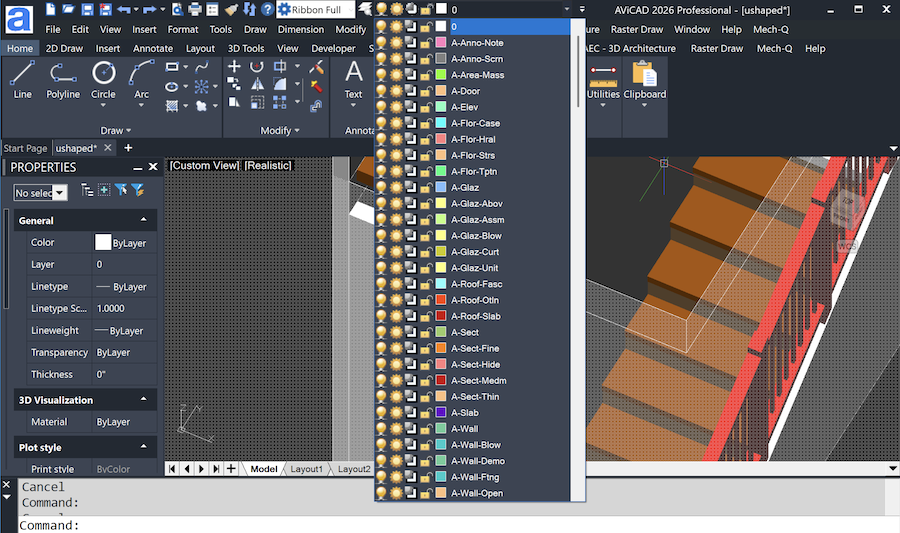
Familiar Commands, Menus, and Customization
AViCAD supports the command structure CAD professionals expect, along with customization through the CUI editor, scripts, and AutoLISP routines. Toolbars, shortcuts, and tool palettes can be adjusted to match your existing workflow, minimizing retraining and overall disruption.
A CAD Platform That Fits into Existing Projects
Open, Edit, and Share DWG Files Without Conversion
Whether you’re working on legacy drawings or active project files, AViCAD lets you continue without reformatting or restructuring your drawing’s data. You can move between AViCAD and AutoCAD® environments confidently, knowing files will remain compatible, making AViCAD an excellent AutoCAD alternative.
Broad File Format Support for Collaboration
In addition to DWG and DXF, AViCAD supports a wide range of import and export formats. This allows teams to integrate files from multiple sources and deliver drawings in formats clients and partners expect — without relying on extra utilities.
Professional 2D Drafting and 3D Modeling Capabilities
Comprehensive 2D Drafting Tools
AViCAD includes the core drafting tools needed for technical drawings, schematics, and layouts. Layers, blocks, annotations, and dimensioning tools are designed for accuracy, repeatability, and efficient production.
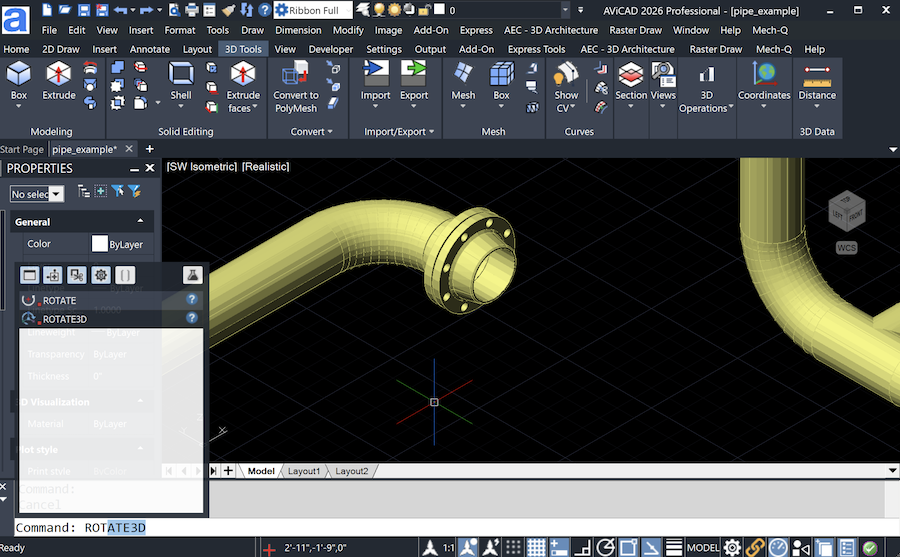
Integrated 3D Modeling Built into Your CAD Workflow
Built-in 3D tools let you model, view, and work in 3D alongside traditional 2D drawings. This supports a wide range of use cases — from mechanical layouts to architectural and structural work — without requiring separate software.
Licensing Options That Give You Long-Term Control
Choose Perpetual Ownership or Subscription Access
Choose Perpetual Ownership or Subscription Access
AViCAD offers both perpetual and subscription licensing, allowing you to choose the model that best fits your business or project needs.
A perpetual license means you purchase the software once and can continue using that version without expiration and without an ongoing subscription. You may use the software for as long as your Windows operating system supports it.
As Windows evolves over time, you can optionally upgrade your AViCAD license to a newer version for a nominal upgrade fee — you are not required to repurchase the software.
A subscription license, on the other hand, provides short-term or flexible access for users who prefer a lower upfront cost or need CAD software for a defined period. When a subscription ends, access to the software also ends, with no long-term obligation or renewal requirement.
AViCAD supports both approaches, so you can choose ownership or flexibility depending on how you work.
Clear Access Without Hidden Strings
Because AViCAD offers both licensing models, you are not forced into a single long-term commitment.
- Perpetual license: One-time purchase with no expiration; optional upgrades as Windows and project needs evolve.
- Monthly license: Full access for the subscription term; ideal for short-term needs or users who prefer a lower upfront cost.
- Yearly subscription: Best for users who want to stay current with ongoing updates and plan to use the software long term
This flexibility makes long-term planning easier for small teams, consultants, and firms that manage a mix of ongoing and short-duration projects.
Included Tools That Extend CAD Beyond Drafting
Engineering Tools Included with Mech-Q
AViCAD includes the Mech-Q engineering tools, providing access to mechanical, piping, structural, and ducting functionality inside the same CAD environment. These tools are included at no additional cost, reducing the need for separate engineering add-ons.
Architectural Utilities for 2D and 3D Design
Architectural tools for elements such as doors, windows, and roofs help speed up design and documentation. A 10,000+ block library and manager is also included. These utilities support both 2D and 3D workflows and integrate directly into standard CAD drawings.
Designed for Both New and Experienced CAD Users
Minimal Learning Curve for AutoCAD® Users
Because the interface, commands, and workflows are familiar, experienced AutoCAD® users can transition quickly. AViCAD is designed to make you feel right at home from day one, helping users stay productive without extended retraining.
Training Resources and Practical Support
AViCAD is supported by training videos and direct support from knowledgeable CAD professionals. This makes it easier to get answers, resolve issues, and continue working without long delays.
Is AViCAD the Right AutoCAD Alternative for Your Team?
Who AViCAD Is a Good Fit For
AViCAD works well for professionals and teams who:
- Need strong DWG compatibility
- Want familiar CAD workflows
- Prefer flexible licensing options
- Require drafting plus engineering or architectural tools
When a Different CAD Platform May Be Better
If your work involves BIM or cloud-based platforms, AViCAD can still play an important role in your workflow. AViCAD is designed as a straightforward, DWG-based CAD environment that can import BIM and 3D model data and be used alongside other design tools to complete drawings, coordination, and documentation with consultants.
Rather than locking you into a single ecosystem, AViCAD focuses on compatibility, control, and efficient drafting — making it a practical tool for producing and managing drawings across mixed software environments.
See a detailed AViCAD vs AutoCAD® comparison
Understanding Long-Term Value — Not Just Price
Choosing the right CAD software involves more than upfront cost. You want to be sure it works with existing drawings and day-to-day workflows, offers flexible licensing, and includes the tools you’ll need over the long term. AViCAD is designed to balance these key factors, providing a stable platform that supports your ongoing work for years to come.
Why Many CAD Users Are Re-Evaluating Their Tools
Some professionals are reconsidering how CAD software is licensed and packaged today.
If you’re wondering why many CAD users are fed up with overpriced software and subscription-only licensing with no clear end, you can read more here:
Why are many CAD users making a change now
If you’re ready to evaluate AViCAD for your own work, the next step is to try it with your drawings.
Try AViCAD with a Free 30-Day Trial
Explore Compatibility, Performance, and Workflow Before You Decide
Download the full version of AViCAD and evaluate it with your own drawings. The 30-day trial includes all features, giving you time to confirm compatibility, performance, and workflow fit before making a decision.