
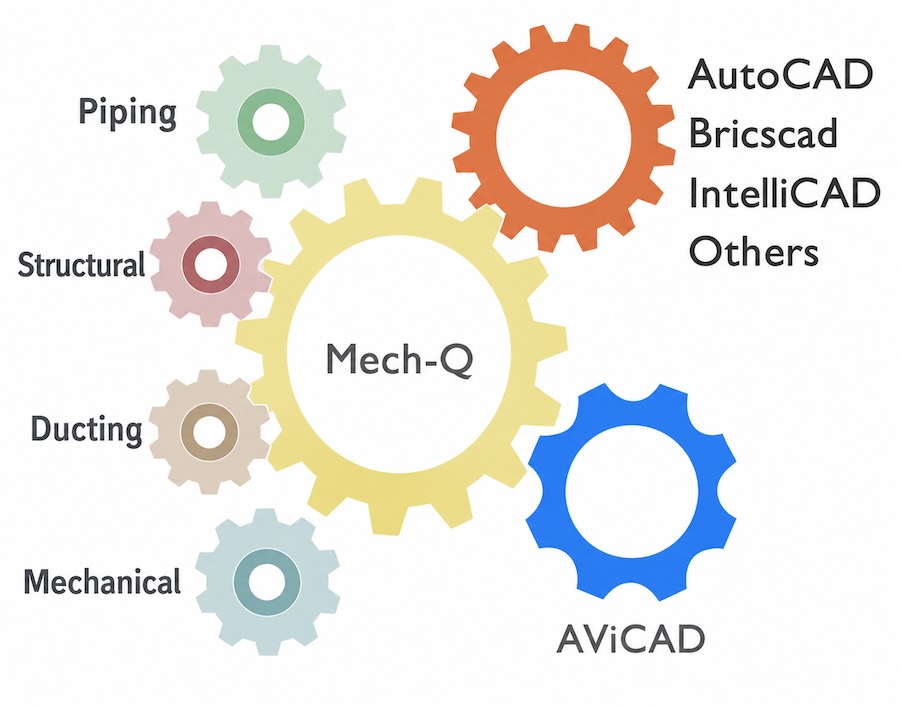
Mech-Q includes four powerful engineering modules designed to streamline CAD drafting across multiple disciplines.
These tools integrate directly into your CAD workspace and support piping, ducting, structural, and mechanical design—allowing you to create accurate drawings, generate quantities, and stay productive without changing software or file formats. Each module addresses a specific drafting challenge while maintaining the same CAD-focused foundation.
CAD-First by Design
All Mech-Q modules:
- Create true CAD objects so that you can share them easily
- Have both 2D and 3D capabilities
- Work inside AutoCAD®, BricsCAD, IntelliCAD, and AViCAD
- Require no separate application or export process
Your drawings remain open, portable, and compatible—today and in the future.
Piping Module
For users who design piping layouts, isometrics, and fabrication drawings
The Piping module is ideal if your drawings include process piping, utilities, plant layouts, or detailed isometric views. Instead of manually placing symbols or blocks, calculating lengths, or managing schedules by hand, Mech-Q lets you draw piping systems intelligently while maintaining full control over the spec you require.
As you draw, Mech-Q automatically understands connections, fittings, and components—generating accurate Bills of Materials and consistent annotations. This makes it especially valuable for engineers and designers who need reliable quantities, clear isometrics, and editable DWG output without switching to a separate piping application.
Learn more about Piping tools.
Ducting Module
For efficient HVAC and ductwork drafting
The Ducting module is designed for users who need to quickly produce clean, readable duct layouts. It reduces the time spent calculating transitions, offsets, and fittings while keeping drawings fully editable and standards-compliant.
Instead of assembling ductwork from basic shapes, you can focus on layout and design and allow Mech-Q to handle the repetitive input for you. The result is clean drawings, fewer drafting errors, and faster revisions—especially useful when working through multiple design iterations or responding to field changes.
Explore HVAC & ducting tools.
Structural Module
For steel layouts, sections, and connection detailing
If your work includes structural framing, steel sections, or connection layouts, the Structural module provides purpose-built tools that align with how structural drawings are actually created. Profiles, sections, and components are placed using native CAD entities, making them easy to modify and coordinate with other disciplines.
This module is particularly useful for engineers and detailers who want accuracy and consistency without moving into a locked or BIM-only workflow. Drawings remain lightweight, readable, and compatible with standard CAD practices.
See Structural drafting tools.
Mechanical Module
For everyday mechanical drafting and reusable design elements
The Mechanical module supports general mechanical design tasks—fasteners, components, and reusable details that appear repeatedly across projects. Mech-Q lets you build and reuse standardized components while maintaining full control over the layout.
This module is well-suited for engineers who want consistency and speed without introducing complex software or external dependencies.
Why Many Teams Choose the Full Mech-Q Suite
While each module can be licensed individually, many users choose the full suite because engineering drawings rarely stay confined to a single discipline. Piping often requires structural elementsm while ductwork may share space with mechanical components. Having all modules available ensures consistency across drawings and eliminates gaps between tools.
The full suite provides:
- A unified drafting experience across disciplines
- Shared workflows and input methods
- Automatic BOM in each module
- Long-term flexibility as your project needs evolve
- Significant savings when bundled into a suite
Compare Mech-Q licensing options
View perpetual licensing
Next, explore how Mech-Q can itemize your drawing
View our BOM utilites
Or get started now and try Mech-Q now