
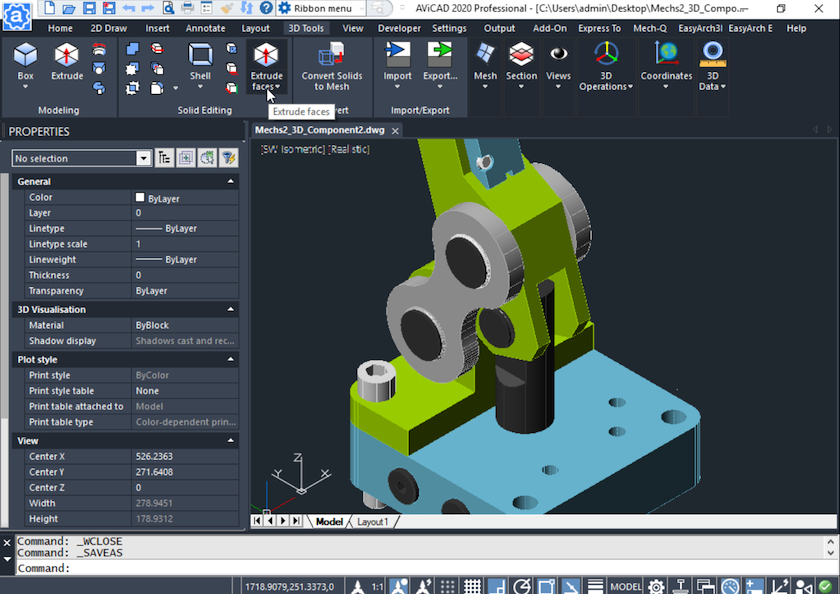
We’ve Got 2D and 3D Drawing Tools
AViCAD gives you the flexibility to work the way you already do—whether your drawings are entirely 2D, fully 3D, or a mix of both.
We recognize that many CAD users and small firms still rely heavily on 2D drafting. For plans, schematics, details, and production drawings, AViCAD provides all the familiar tools you expect: precise linework, layers, blocks, dimensions, annotations, and layout controls—without forcing a 3D-first workflow or locking you into a different way of working.
At the same time, AViCAD includes a complete set of 3D drawing tools that integrate naturally into the same CAD environment. If and when your work moves into 3D, the tools are already there—no add-ons, no separate installs, and no extra learning curve.
Built for Serious 2D Drafting
If your work is primarily 2D, you’ll feel right at home immediately. AViCAD supports AutoCAD-style commands, aliases, and workflows, allowing you to:
- Create accurate 2D drawings efficiently
- Edit geometry using familiar modify commands
- Manage layers, blocks, and layouts exactly as expected
- Produce clean construction and engineering documentation
You’re never forced into 3D just to get work done. AViCAD recognizes that 2D drafting remains essential across architecture, engineering, fabrication, and consulting.
See how closely AViCAD aligns with AutoCAD workflows, and explore the full comparison between AutoCAD and AViCAD.
A Smooth Transition Into 3D—When You’re Ready
For users who want to expand into 3D, AViCAD makes the transition approachable. The 3D tools follow the same command structure and logic used in 2D, so you don’t have to relearn CAD from scratch.
AViCAD includes native 3D commands for solids, surfaces, and visualization, as well as deeper 3D capabilities through built-in engineering and architectural tools. If you’re new to 3D, we provide guided tutorials and short videos to help you get started at your own pace.
Begin with our step-by-step CAD tutorials and resources today.
Engineering and AEC Tools That Blend Into Your Drawings
AViCAD’s 3D capabilities extend beyond basic modeling. The Mech-Q engineering tools and AEC architectural tools work directly inside your drawings as true CAD objects, not lightweight visual elements.
This means your 3D piping, ducting, structural, mechanical, and architectural elements are:
- Fully editable
- Layer-controlled
- DWG-native
- Stored directly in the drawing database
You can learn more about the full scope of CAD engineering tools and how they can automate your workflow.
Or explore how AViCAD’s built-in architectural and construction tools can transform your next 3D project.
One CAD System for 2D, 3D, and Production Work
Unlike platforms that split 2D drafting, 3D modeling, and engineering features into separate products, AViCAD keeps everything in one unified CAD system. You can mix 2D and 3D content in the same project, start in 2D, and introduce 3D only where it adds value.
Whether you stay entirely in 2D or gradually expand into 3D, AViCAD supports your workflow without forcing change—and delivers the same core capabilities users expect from high-cost CAD software at a far more affordable price.
Next, explore our massive block library
Our Block Library and Manager
Or get started now and try AViCAD now
 AViCAD 2027 is now available. Explore new features including faster performance, drawing comparison tools, enhanced GIS capabilities, improved Visual LISP support, and more. See what's new in AViCAD 2027.