
True Native DWG Support
At the center of nearly every CAD workflow is DWG. Drawings are shared, reviewed, revised, and archived in DWG format—often across teams using different software, versions, and disciplines.
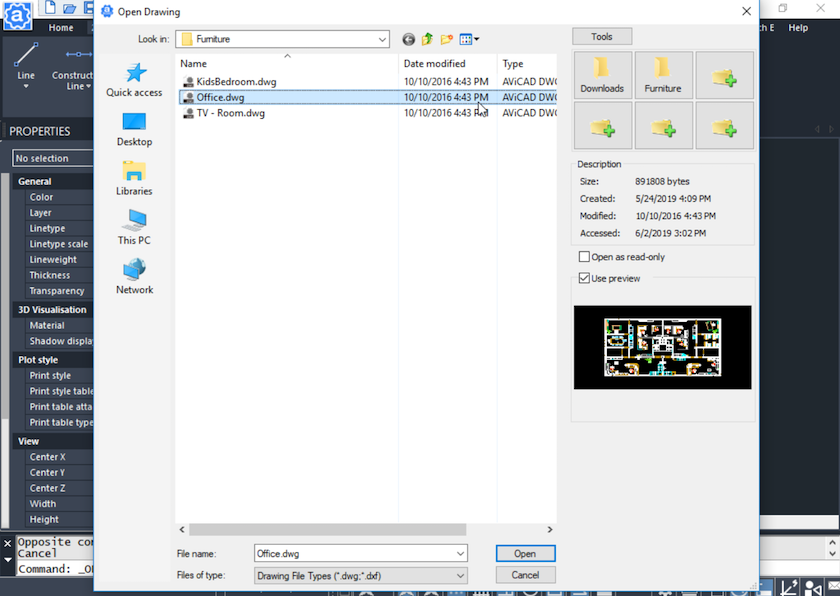
AViCAD is built around true native DWG compatibility, so drawings open, save, and exchange exactly as expected. Files behave the same way they do in AutoCAD®-based environments—without conversion steps, translation errors, or lost data.
In addition to DWG, AViCAD supports a wide range of industry-standard exchange formats, making it easy to collaborate with AutoCAD users, other CAD platforms, and non-CAD stakeholders.
Whether you’re sharing 2D drawings, coordinating 3D models, packaging complete projects, or preparing files for review or fabrication, AViCAD gives you the tools needed to keep work moving smoothly.
Work Confidently with AutoCAD® Files
Native DWG Compatibility
AViCAD works directly with DWG—the most widely used CAD format in the industry. You can open, edit, and save drawings without conversions or workarounds.
Result: Files exchange cleanly with AutoCAD users and other DWG-based CAD platforms.
Backward Version Support
When needed, drawings can be exported to earlier AutoCAD versions.
Why it matters: Clients or partners using older CAD software can open and review files without compatibility issues.
DXF Exchange
DXF provides a dependable way to share drawings across different CAD systems.
In practice: Your drawings remain usable even outside AutoCAD-based environments.
Related: See how AViCAD fits into existing AutoCAD® workflows
Share Drawings with Anyone
PDF Output for Plan Review
AViCAD includes a built-in PDF driver for creating accurate, to-scale PDFs directly from DWG files.
Why it’s useful: Reviewers can open, print, and mark up drawings without needing CAD software.
Interactive 3D PDFs
3D models can be shared inside interactive PDFs that allow rotation and inspection.
The advantage: Stakeholders can understand designs without specialized tools.
WMF and Image Export
Layouts can be exported as vector (WMF) or bitmap images.
Best for: Reports, proposals, emails, and documentation.
Send Complete Projects — Not Just Drawings
eTransmit Project Packaging
eTransmit bundles drawings, external references, plot styles, textures, and paths into a single package.
The benefit: Everything opens correctly on the receiving end—no missing files or broken references.
Coordinate Across CAD, BIM, and 3D Platforms
BIM & AEC Coordination
AViCAD supports IFC and Revit file import for reference and coordination.
What this enables: Working with BIM teams while continuing to design in a DWG-based CAD environment.
Mechanical & Manufacturing Exchange
Support for STEP, IGES, ACIS, and SolidWorks formats ensures reliable 3D data exchange.
Why it matters: Geometry transfers accurately between design and manufacturing workflows.
Visualization & Rendering
Import and export formats include 3DS, OBJ, COLLADA, LightWave, and Maya.
Outcome: Models move smoothly into rendering and visualization pipelines.
Related: Explore AViCAD’s complete CAD feature set
From Digital Models to Physical Output
STL Support for 3D Printing
Export STL files directly from AViCAD for prototyping and fabrication.
End result: Clean geometry ready for physical review or production.
Built for Real-World Collaboration
AViCAD supports how CAD work actually happens:
- Mixed software environments
- Multiple file formats and versions
- Non-CAD reviewers and decision-makers
- Remote and distributed teams
Your files stay usable, projects stay connected, and teams stay productive—without forced workflow changes.
Next, explore drawing recover backups, and file safety
Your Files Are Safe In AViCAD
Or get started now and try AViCAD now
 AViCAD 2027 is now available. Explore new features including faster performance, drawing comparison tools, enhanced GIS capabilities, improved Visual LISP support, and more. See what's new in AViCAD 2027.