
Drawing Recovery – Your Work Is Safe from Data Loss
Built for Everyday CAD Workflows
AViCAD is designed around the way CAD drawings are created, edited, reviewed, and exchanged across teams and software platforms. Drawings move through multiple hands, versions, and environments—and AViCAD provides the tools needed to keep files stable, clean, and recoverable throughout that process.
Whether you’re opening legacy DWG files, receiving drawings from consultants, or maintaining long-running projects, AViCAD helps ensure your data stays intact and usable.
Reliable Drawing Protection and Recovery
AViCAD includes the same drawing safety mechanisms CAD users rely on every day:
- Automatic SV$ autosave files
- BAK backup files for previous saved versions
- Manual and automatic recovery tools
If a crash, system interruption, or file issue occurs, these backup files allow you to restore work quickly without starting over.
Audit, Recover, and Clean Drawings with Confidence
AUDIT
The AUDIT command scans drawings for database errors and repairs issues that can cause instability or corruption.
RECOVER
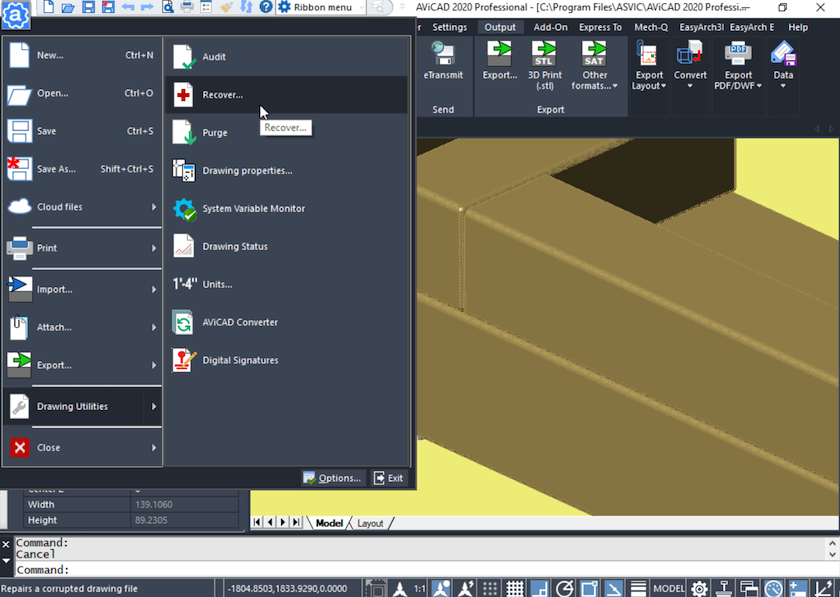
When a drawing won’t open normally, RECOVER safely repairs the file and opens it—especially useful for drawings created in other CAD applications or affected by system interruptions.
PURGE
The PURGE command removes unused layers, blocks, styles, and definitions to reduce file size and improve performance.
Together, these tools help maintain drawing integrity and keep files efficient over time.
These same safeguards are available in an affordable AutoCAD alternative that supports long-term DWG compatibility without forced subscriptions.
Cloud Storage and Backup Compatibility
AViCAD works smoothly with cloud-synced folders such as:
- Google Drive
- Microsoft OneDrive
- Other synchronized backup locations
Autosave and backup paths can be configured inside these folders, allowing drawings and recovery files to be backed up automatically offsite without additional software.
Designed for Stable, Long-Term CAD Use
AViCAD supports:
- Mixed CAD software environments
- Multiple DWG versions
- Long-lived project files
- Distributed teams and shared storage
- You get dependable drawing protection and recovery tools without changing file formats or adopting new workflows.
Many users switch after realizing an affordable CAD solution can match the workflows they already know.
Next, explore more layer management.
Your In Control With Layer Control
Or get started now and try AViCAD now
 AViCAD 2027 is now available. Explore new features including faster performance, drawing comparison tools, enhanced GIS capabilities, improved Visual LISP support, and more. See what's new in AViCAD 2027.